Daily organization
Review scheduled and unscheduled field claims for a selected day instead of building the route from a separate address list.
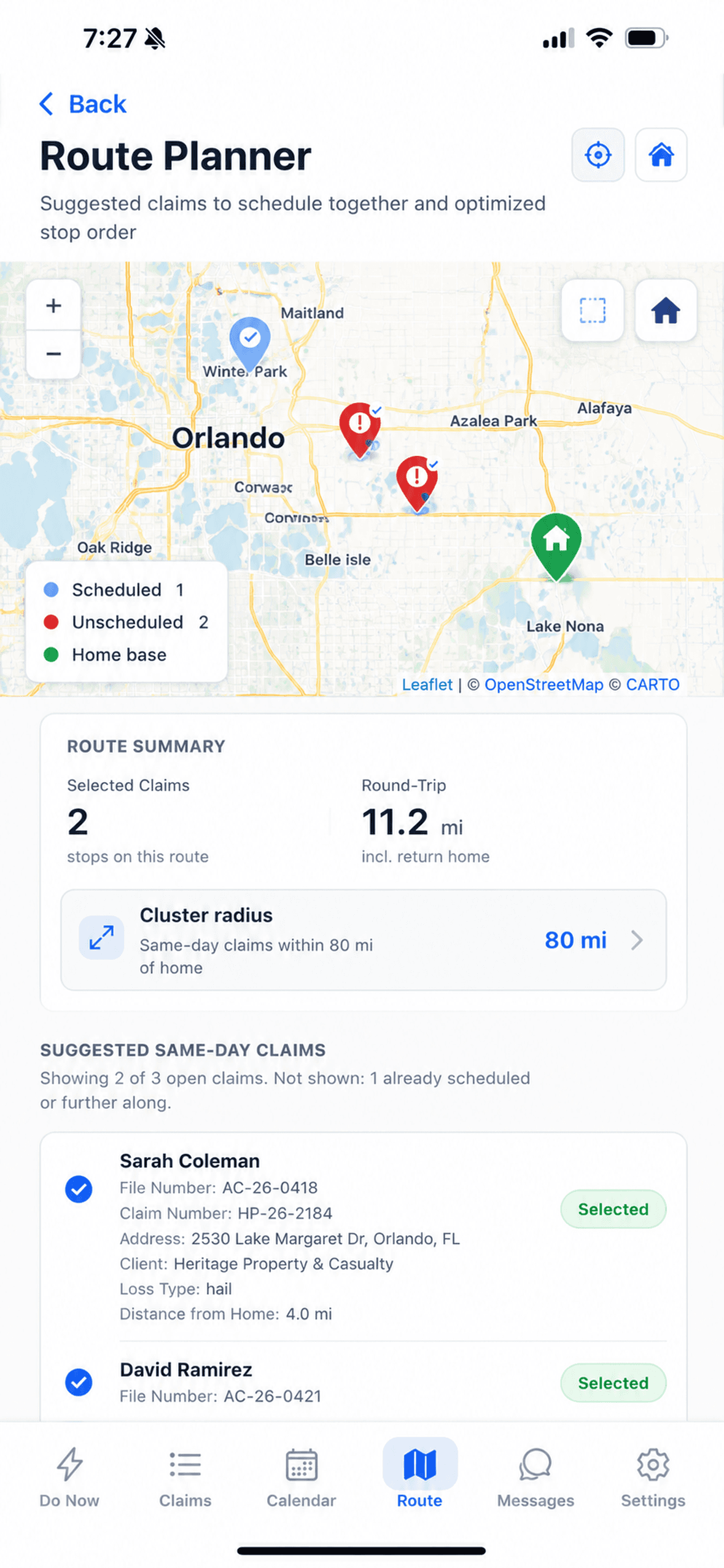
Select the day's mapped claims, review a suggested stop order, adjust it around real appointment constraints, save the schedule, and hand each destination to a navigation app.
Product screenshots use synthetic demonstration claims. Route suggestions and travel estimates require adjuster review.

The current workflow combines claim locations, scheduling context, route ordering, and navigation handoff. The adjuster chooses the work and controls the final plan.
Review scheduled and unscheduled field claims for a selected day instead of building the route from a separate address list.
See mapped claims, scheduled state, selected stops, and the route origin together. Map availability depends on location data and connectivity.
Build a location-based sequence and round-trip estimate from the selected claims. The result is a planning aid, not a guaranteed global optimum.
Move stops when appointment times or local knowledge matter more than the generated sequence, then recalculate the displayed plan.
Save a route to the calendar from a chosen start time or reschedule an individual claim through the existing scheduling flow.
Launch a supported navigation app for the next destination; supported Google Maps handoffs can include multiple ordered stops.
A usable route depends on saved claim coordinates and a valid origin. The interface keeps missing-location and outside-cluster work visible instead of implying every assignment belongs in the suggested route.

The planner plots claims with usable coordinates and distinguishes scheduled from unscheduled work.
Suggested claims can be added to or removed from the route before the sequence is built.
Claims without usable coordinates cannot be routed until their location data is corrected. Map tiles and refreshed routing also depend on connectivity.
The route remains editable at every planning step.
Open the planner to see mapped claims that still require field travel, including scheduled and unscheduled work.
Select or remove claims for the day. Claims without usable location coordinates are surfaced separately rather than silently treated as routeable.
Generate a suggested stop sequence from the selected locations, then review the round-trip estimate and each leg before accepting it.
Move stops up or down when appointment commitments or field judgment should override the suggested order. Re-optimize restores the generated sequence.
Choose a date and start time, preview the proposed appointment sequence, and save the changed claim times to the calendar.
Open the next stop—or a supported multi-stop route—in an available navigation app, then return to the claim and inspection workflow.
The current planner calculates a location-based order, applies a bounded improvement pass, and displays route estimates. The adjuster can override that result.
A generated order does not override the adjuster’s commitments. Review the sequence, move stops, save the intended times, and choose how navigation opens.
Save the route from a chosen date and start time, review the proposed sequence, or reschedule an individual inspection with the existing date-and-time picker. Saving requires connectivity.
On supported devices, the app can open Apple Maps, Google Maps, or Waze for a destination. Google Maps supports the current multi-stop handoff; Apple Maps and Waze receive the next stop. Availability and behavior ultimately depend on the installed navigation app.

Route planning and offline inspection are related parts of the day, but they do not have the same connectivity requirements.
Before leaving coverage, open and download the assignments needed for the day. Supported inspection answers, notes, and photos can then remain local until the app reconnects. Do not treat the route planner or a third-party navigation app as an offline inspection-data guarantee.
Review the exact offline and sync workflowSee how routing, scheduling, inspections, synchronization, and reporting connect.
ExploreFollow the broader assignment-to-report workflow around the planned inspection day.
ExploreUnderstand what remains available after the assignment is downloaded and where connectivity is still required.
ExploreContinue from arrival into required-photo guidance, capture, organization, and upload review.
ExploreTutorials will show claim selection, the suggested order, manual adjustments, schedule saving, and navigation handoff without implying autonomous scheduling.